What are the features of a LEARNING MANAGEMENT System?
A Learning Management System (LMS) like ClassReach encompasses various functions and features designed to streamline the educational process and enhance the learning experience for your students.
Here are the most popular features of the ClassReach LMS:
- Attendance Tracking.
- Homework Assignment.
- Teacher Tools.
- Lesson Planning Tools.
- Gradebook Software.
- Classroom Discussions.
One of the standout features of the ClassReach LMS is its provision of guardian access. We understand the pivotal role guardians play in a student's academic journey. Our LMS platform allows guardians to stay connected to their student's educational progress, assignments, and performance making ClassReach the best LMS for students.
The Best LMS Software FOR ENERGIZING ACADEMICS
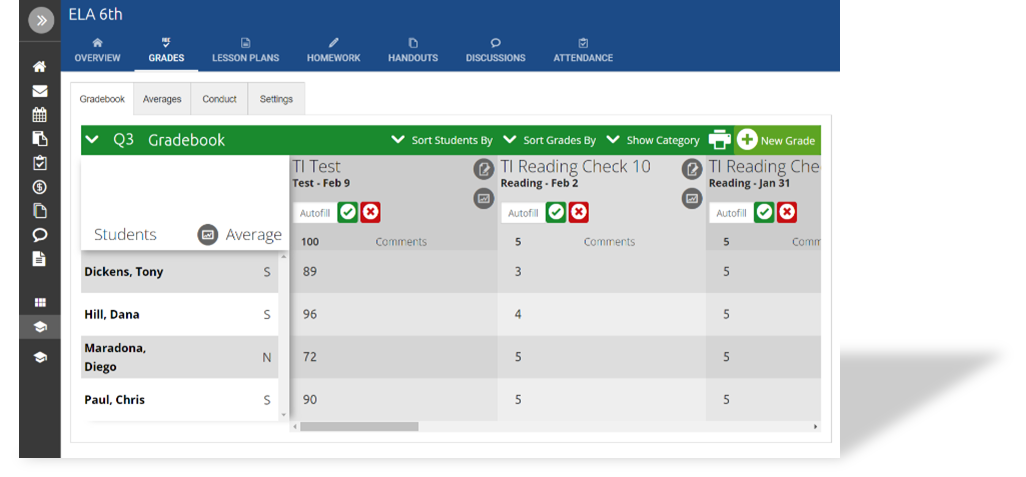
The Gradebook
Keep student grades and progress organized with ClassReach's built-in Gradebook. Teachers can enter grades, track performance, calculate weighted averages, and keep guardians informed—all within the same platform.

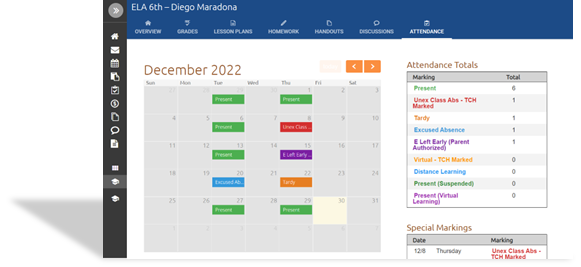
Attendance

With this LMS Feature, you can advance the relationship between class attendance and learner engagement! Take advantage of an organized student attendance tracking system and discover an efficient way to manage student participation.
With the attendance management feature, you can utilize:
- Flexible attendance settings.
- Guardian accessibility tools.
- Student information auto-fill.
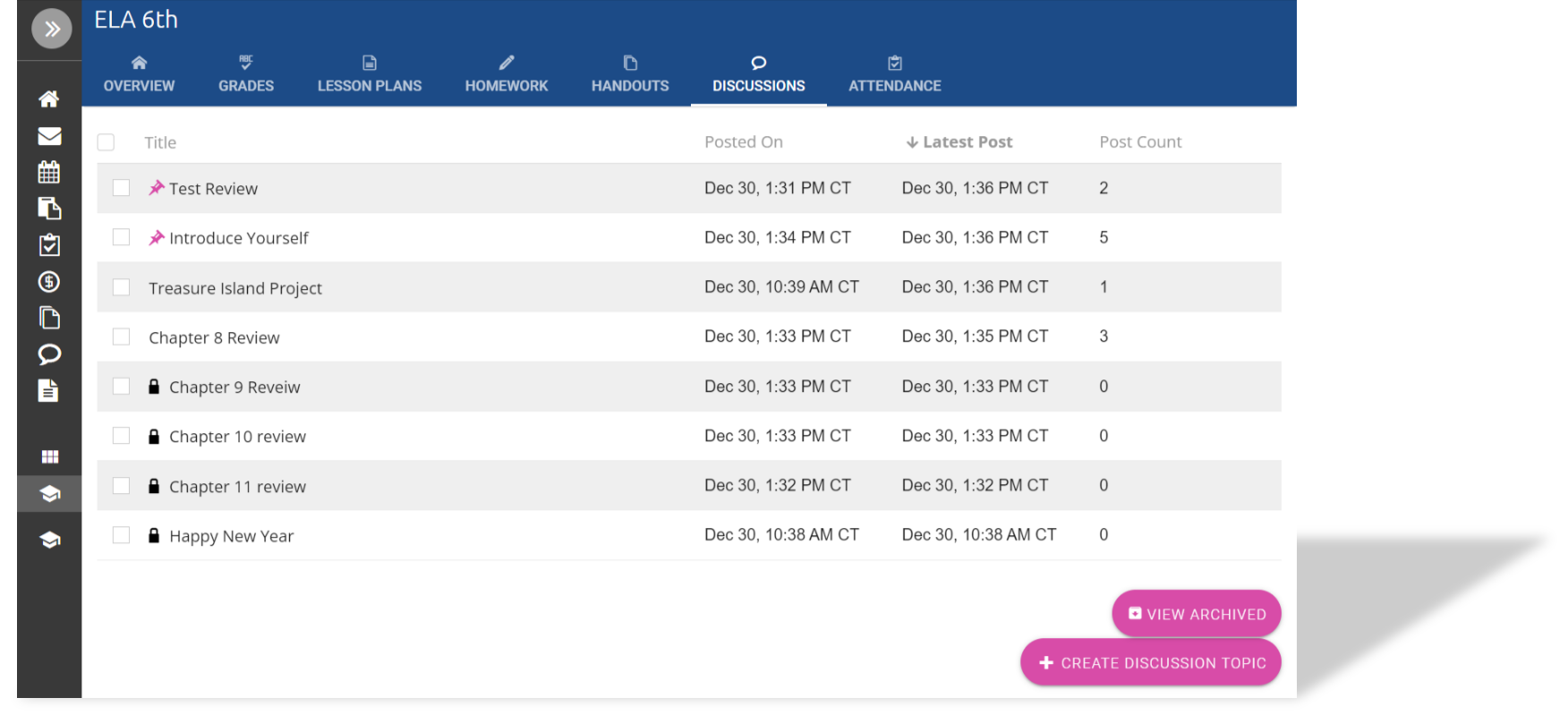
Discussions
Encourage communication and critical thinking by creating meaningful discussions within your course content. The Learning Management System discussion feature gives schools a new avenue for communication within a blended learning environment or during online learning.
Discussions allow you to:
- Create classroom events.
- Inspire social learning.
- Create student interaction.
- Reflect on assigned learning content.
- Post-thought-provoking questions.

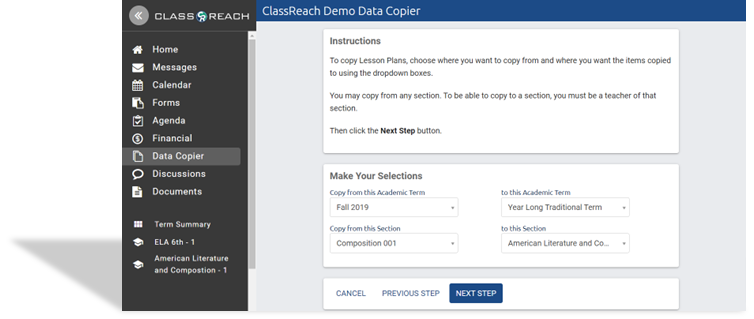
Teacher Tools

Using a Learning Management System or LMS solution with educator tools helps simplify the administrative environment by optimizing workflows and creating time to ensure students are on the best learning path for academic success. The data copier feature in the ClassReach Learning Management System helps educators reuse section materials and most importantly save time!
With this feature teachers can configure and transfer:
- Handouts.
- Lesson plans.
- Course resources.
- Agenda and Task Items.
Reuse lesson plans, handouts, course resources, and more with ClassReach’s built-in Data Copier.
Lesson Plans
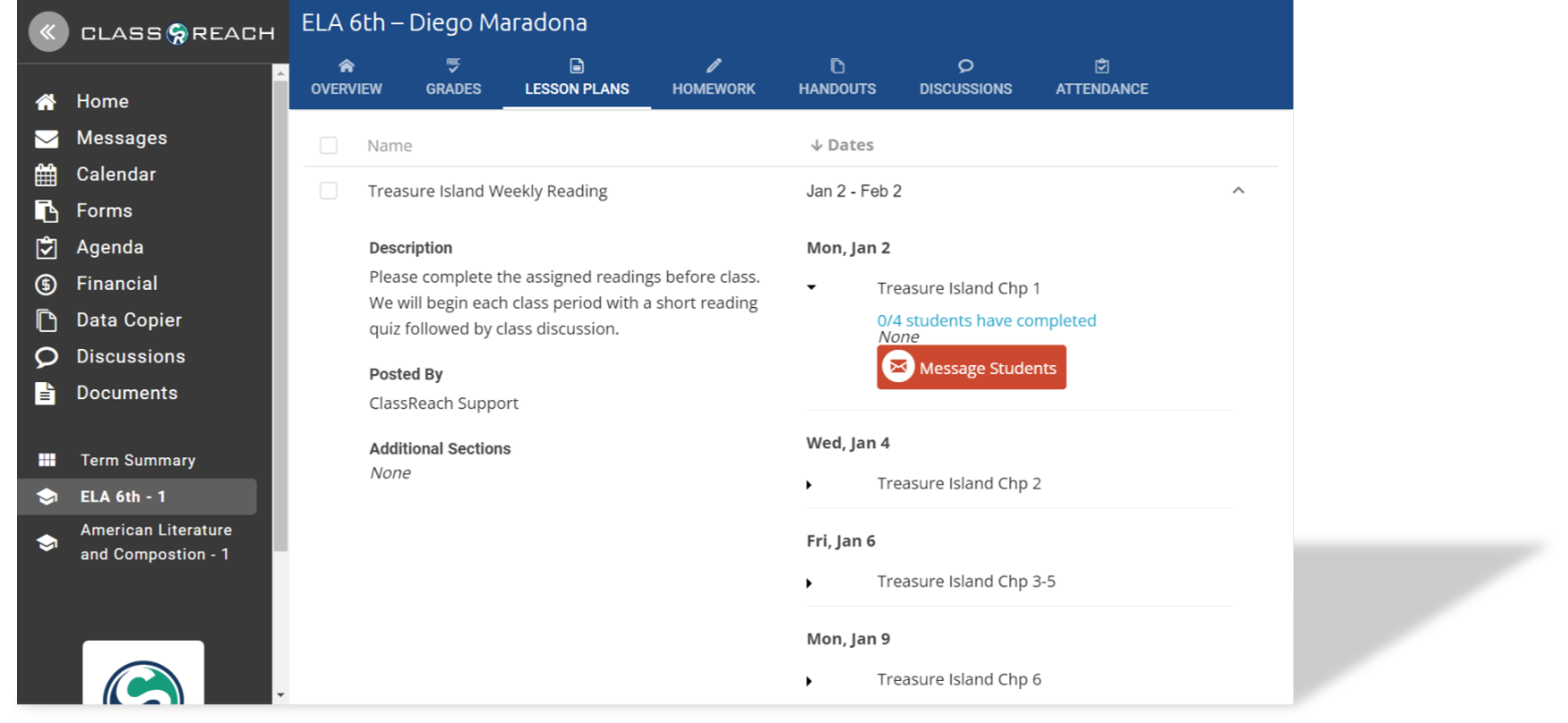
Use an LMS system to ensure everyone is on the same page and set the semester’s tone with a structured and organized schedule for online courses. Allow teachers to provide guardians and students with a simple view of day-to-day learning content.
Lesson Plans allow teachers to:
- Organize course content.
- Update parents.
- Motivate students.
- Encourage communication.

Homework

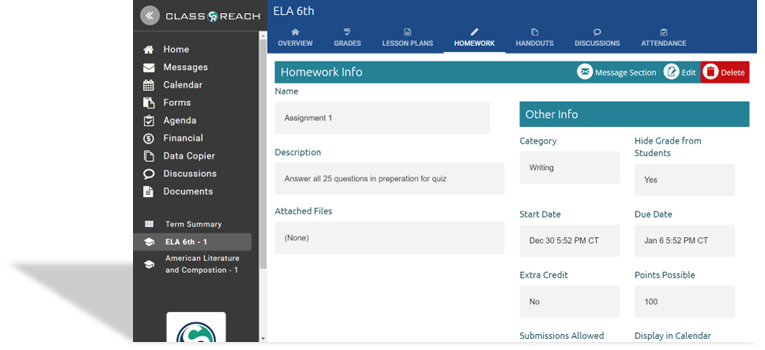
Offer your students the opportunity to review grades from online courses and grant parents a chance to see their child's growth over the semester with the mobile learning management homework feature.
Establish a learning platform like no other with:
- Assignment messaging.
- Student submissions button.
- Automatic grade-book creation.
- Guardian access.
ClassReach Demo
Request a virtual demo account to have access to:
Learning Management System
- Gradebook
- Attendance
- Course Discussions
- Teacher Tools
- Lesson Plans
- Homework

-1-1.png?width=815&height=665&name=Webpage%20software%20images%20%20(13)-1-1.png)