

Student information system for private K–12 schools
The ClassReach Student Information System (SIS) is built into our all-in-one school software, giving private K–12 schools one connected place to manage student records. By keeping essential information organized in one platform, ClassReach helps simplify daily administration and connect workflows across the school.

Why choose ClassReach?
Managing student information shouldn't mean jumping between spreadsheets, databases, and separate systems. ClassReach brings the information your team uses every day into one connected school management platform.
- Keep student records organized: Manage student and family information in one place.
- Reduce administrative work: Simplify data entry and everyday student management tasks.
- Keep information connected: Use student information across enrollment, scheduling, grades, attendance, transcripts, and reporting.
- Give your team easy access: Help administrators, teachers, students, and guardians access the information they need.
- Manage more than student information: Connect SIS capabilities with billing, communication, forms, documents, and learning management tools.
See how ClassReach can simplify student information management.
Student information management from Application to graduation
ClassReach provides the student information capabilities private K–12 schools need throughout the student lifecycle. Keep important information connected as students apply, enroll, attend classes, complete coursework, and progress through your school.
Admissions
Manage applications and enrollment while keeping student information connected from the start.
ClassReach helps your team:
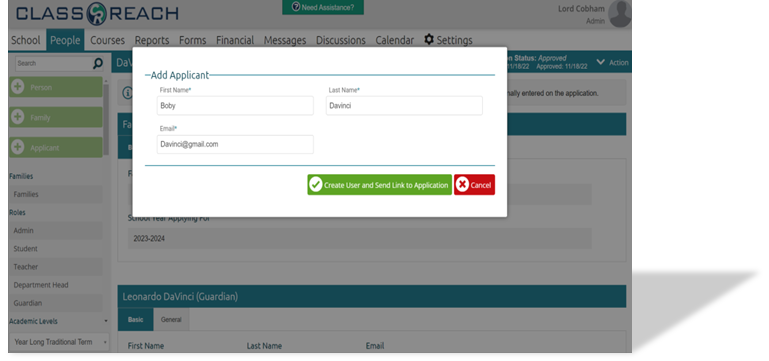
- Review and manage applications
- Approve, deny, hold, or revise applications
- Collect payments during the application process
- Automatically create user records when applications are approved
- Reduce duplicate data entry
- Keep applicant and family information organized
Request a free ClassReach demo to explore how your team can simplify the enrollment process.
Schedule
Transform your course registration process into a strategic advantage! Unlock the full potential of efficiency and collaboration among guardians, students, and teachers with our specialized features.
Discover Invaluable Advantages:
- Conflict Resolution Mastery: Identify and eliminate schedule conflicts effortlessly, ensuring a smooth enrollment journey for everyone involved.
- Real-Time Student Tracking Power: Instantly locate students during a school day, optimizing monitoring and providing timely support.
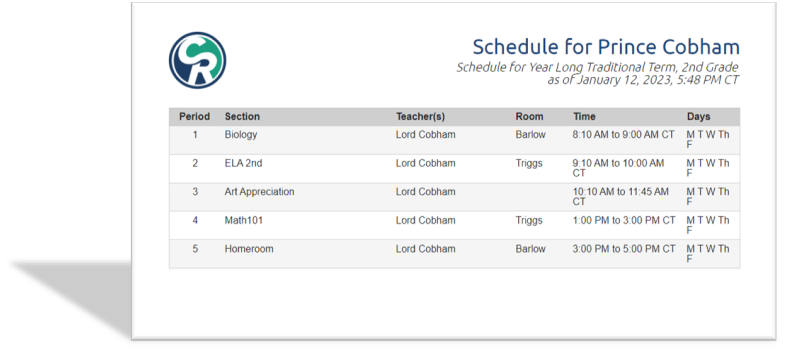
- Professional Scheduling Brilliance: Effortlessly print professional and informative schedules, elevating communication and organization.
Quick-tip: Beyond minimizing inconveniences, our student information system empowers you with strategic advantages, making your course registration process a seamless and value-driven experience for all stakeholders involved.
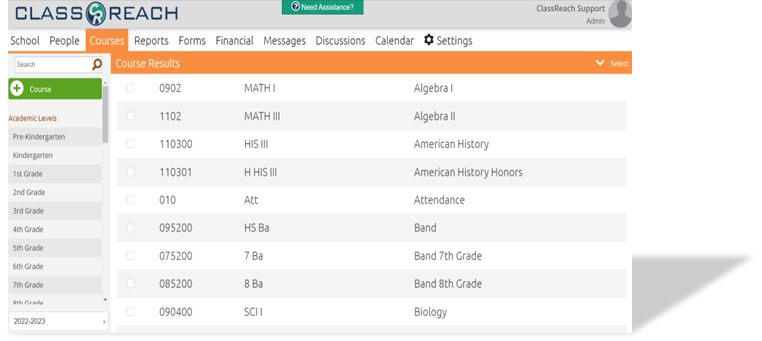
Courses
Empower your administrators and teachers with high-powered course and gradebook tools designed for flexibility, strengthening your school's course offerings and generating professional student progress reports seamlessly.
Give guardians and students access to:
- Course Content
- Built-in daily progress reports
- Instant teacher messaging
Quick-tip: Our high-powered SIS tools not only strengthen course offerings but also provide administrators and teachers with the flexibility needed to create professional student progress reports effortlessly.
Online Tuition Invoicing
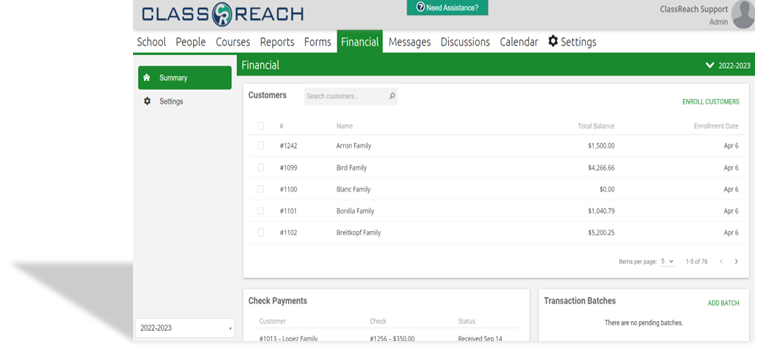
Utilize easy invoicing tools and empower your strategic financial plan. Parents can access and pay all within the same login they use to view student progress.
The financial agreement feature allows admins to create invoices with a single click!
Use the financial suite to:
- Accept cash, checks, ACH, and credit/debit card payments
- Create invoices for individual families or in bulk
- Set up payment plan options and automate recurring payment
Try a free demo today to see how we can help improve your school's invoicing process.
Transcripts
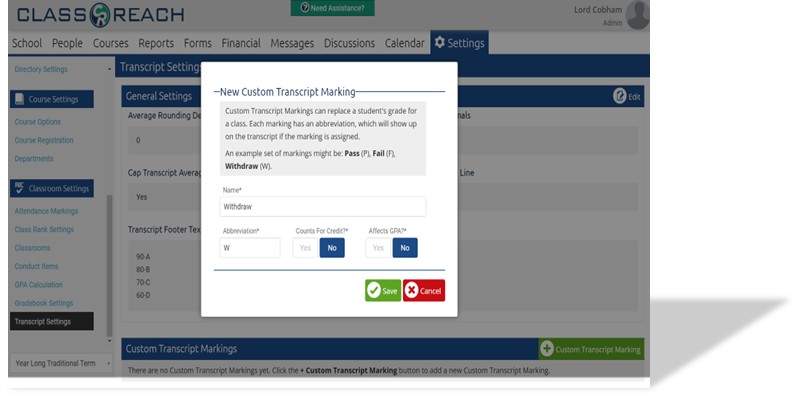
Transcripts provide an academic record within the student database management system. Simple student transcript creation is a must-have feature!
Transcript allows you to:
- Provide students with access to get transcripts online
- Configure transcript footer and course details
- Transfer course information from previously attended institutions
With our free demo, you can try out our transcript tool for yourself
Powerful Reporting
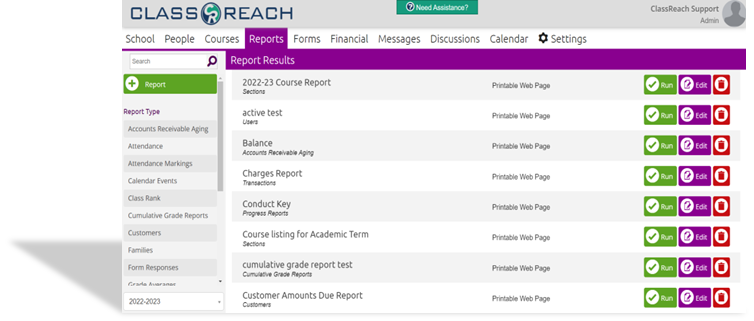
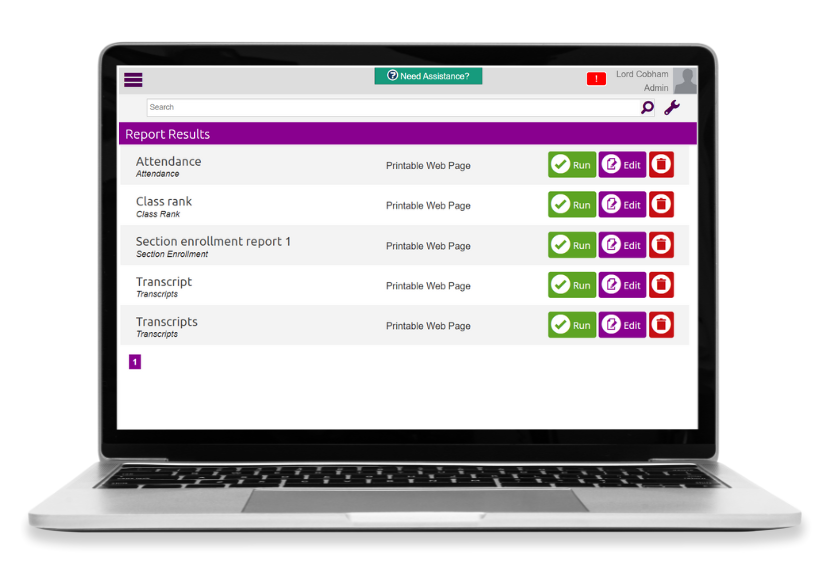
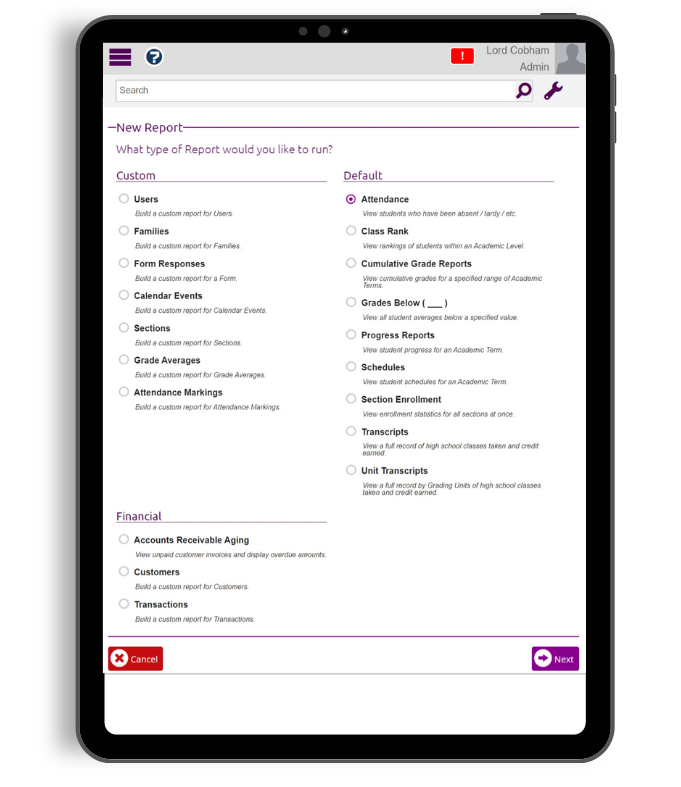
Generate reports using the data that is available within your ClassReach software. Use default reports or configure custom reports with our ad-hoc reports engine to fit the needs of your institution.
Some report types include:
- Grade and attendance reports
- User and family reports
- Financial reports
Researching student information systems?
Choosing student information software is a significant decision for any school. Our Student Information System Buyer's Guide can help you understand the features to look for, questions to ask vendors, and factors to consider before choosing a solution.
Frequently Asked Questions
Can I see how the ClassReach Student Information System works?
Yes. Request a free ClassReach demo to see how the platform supports student information, admissions, scheduling, courses, transcripts, reporting, and other school operations. Your school can receive a personalized virtual walkthrough and 30-day access to a demo account to explore features with your team.
What is a student information system (SIS)?
A student information system (SIS) is software that gives schools one central place to manage student data and daily administrative work. The ClassReach Student Information System features help private K–12 schools organize student records, enrollment, grades, attendance, transcripts, schedules, courses, and reporting.
What student information can ClassReach manage?
ClassReach centralizes student and family information used throughout the school day. Administrators can manage enrollment, courses, grades, attendance, schedules, transcripts, applications, financial details, and other records that support daily operations.
Can ClassReach manage student enrollment and admissions?
Yes. ClassReach includes admissions and enrollment software that helps schools organize applicant records, manage application statuses, collect application payments, and create users when applications are approved. This reduces duplicate data entry as applicants move from inquiry to enrollment.
Does ClassReach include student scheduling?
Yes. ClassReach includes scheduling tools that help administrators manage course registration, identify scheduling conflicts, monitor students during the school day, and create printable student schedules. Because schedules connect to student records and courses, staff can work from more complete information.
Can parents and students access student information?
Yes. ClassReach gives families and students access to the information and tools their school makes available. Depending on the school’s setup, users can review student progress, course details, financial information, and school communications through a single login. Schools seeking to reduce parent confusion can also explore ClassReach school messaging tools.
How does ClassReach protect student data?
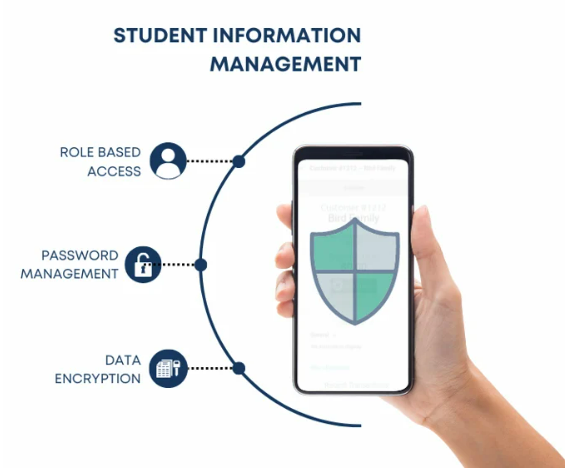
ClassReach is designed to help schools keep student data centralized and protected. Information access is managed through user accounts and permissions, so schools can control which users can view specific data. ClassReach is hosted in Microsoft Azure, uses geo-redundant backups, and provides encryption in transit and at rest.
Can ClassReach create and manage student transcripts?
Yes. ClassReach includes transcript management software that helps schools create and configure student transcripts. Administrators can also transfer course information from previously attended institutions into a student’s academic record.
Is ClassReach only a student information system?
Is ClassReach only a student information system?
No. The SIS is one part of the ClassReach platform. Schools can also use learning management software, school operations tools, communication features, and tuition invoicing management software to connect information from admissions through graduation.
Can ClassReach manage grades and attendance?
Yes. ClassReach brings an online gradebook and student attendance tracking system into the same platform as student records. Schools can use this connected data to review student progress, prepare reports, and identify trends that may require attention.